ISO-aligned design advice for your documents
By Emily Halloran
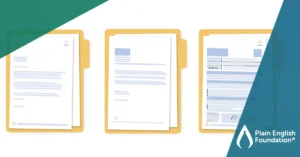
Ever been stumped by a reviewer’s feedback on your document design or uncertain how to explain what you want to the person designing your annual report? Plain language is here to help with the latest ISO-aligned resource, the Document design pattern library (Pattern Library)!
What is it the Pattern Library?
The Pattern Library is a guide for designing print and digital documents. It doesn’t cover every type of document (such as apps), but it covers many everyday documents, such as reports, websites and emails. The Pattern Library’s advice is varied, from brand identity and legible text to indexes and colour-coded sections. You can use it to design documents or to discuss your design with others. Find the draft Pattern Library on the International Plain Language Federation’s website.
Why is it important?
We all know what a heading is, but having a common language to talk about document design gives us ‘a way to describe design ideas in terms of their communicative intent and their effect on readers’.
It’s also a timely reminder to reconsider the templates we’ve been using for years and assess if they still serve our readers. The ISO Plain Language standard asks:
- Can readers understand the document?
- What do they need?
- How easily can they find it?
Good design supports this last item.
The Pattern Library also helps writers use design elements more discerningly and confidently. As Einsohn and Schwartz in The Copyeditor’s Handbook (p 426) say, ‘Less confident writers rely on typographical devices for emphasis.’ For example, using bolding, all caps and underlining together for emphasis. Used all together in the same document, these devices compete for the reader’s attention and ultimately interrupt their reading experience, distracting them from your main message.
Who is it for?
If you create or help create documents, the Pattern Library is for you, especially if your documents are for the general public. This means you can use it if you are a:
- technical writer
- engineer
- manager
- legal professional
- health professional
- teacher
- office worker.
How do you use it?
The Pattern Library has 3 sections:
- Readers get what they need (relevant information)
- Readers can easily find what they need (findable information)
- Readers can easily understand what they find (understandable information)
Each section has design advice that is then broken down into how to implement it. For example, ‘Help readers find information by making it prominent’ includes advice on using section icons and section start indicators.
The Pattern Library explains each element by:
- what challenge it meets (for example, helping readers find the right section immediately)
- how the solution is appropriate (for example, icons help highlight section headings)
- when you’d typically use it (for example, reports or manuals)
- what to watch out for (for example, overusing icons can make your document overly complex).
Want help implementing the advice in the Pattern Library? Contact us for ISO-aligned redesigns of your documents and training to help you launch and use your updated documents.